Year Management
Year management controls the configuration and structure of a JROTC year.
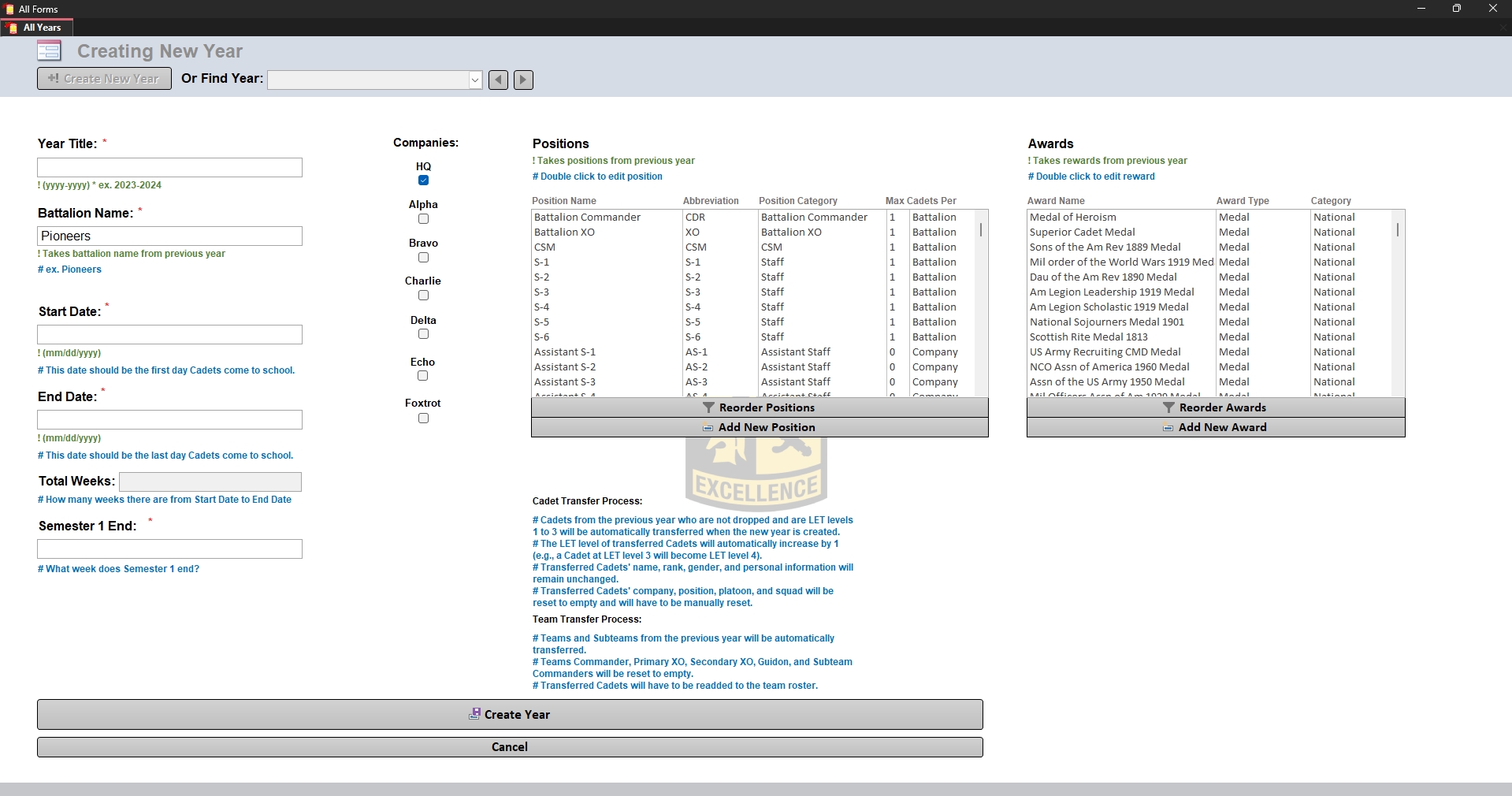
Year Information
The following fields can be configured:
| Field | Description |
|---|---|
| Year Title | Name of the school year |
| Battalion Name | Name of the battalion |
| Start Date | First day Cadets attend |
| End Date | Last day Cadets attend |
| Semester 1 End | Week where semester one ends |
Saving Changes
Changes are not applied until:
Save Changes
is clicked.
Creating a New Year
When creating a new year, saving will prompt:
Transfer previous Cadets?
Selecting Yes transfers eligible Cadets.
Transferred Cadets:
- Must not be dropped
- Must have LET levels 1-3
- LET level increases automatically by one
The following remain unchanged:
- Name
- Rank
- Gender
- Personal information
The following are reset:
These must be manually assigned.
Team Transfer
Teams are transferred automatically.
This includes:
- Automatic teams
- Manual teams
- Subteams
However, Cadets assigned to teams are NOT transferred.
All members must be manually reassigned, including:
- Commanders
- Primary XO
- Team members
- Rosters
Finalizing a Year
Finalizing a year locks the data.
A finalized year:
- Cannot be modified
- Cannot have data changed
- Can still generate reports
Finalizing should ONLY happen after the entire year is complete.
Deleting a Year
Deleting a year permanently removes it.
Danger
Deleted years cannot be recovered.